
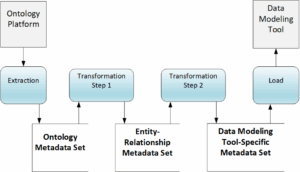
By design, Extract, Transform, and Load (ETL) is how CODT derives a logical data model from an ontology. The process creates patented Metadata Sets (MDS) from the source Ontology, a generic Entity/Relationship MDS, and Tool-Specific MDS for the target data modeling tool or other software.
The Financial Industry Business Data Model (FIB-DM) is the flagship product derived from the industry-standard ontology FIBO and traditionally released in SAP PowerDesigner. Hence, the Data Modeling Tool-Specific MDS are for import into PowerDesigner.
This article describes a new additional MDS for ERWin Data Modeler. We examine the functional requirements – how the FIBO should look in ERWin- and technical requirements to import model metadata into the data modeling tool. The article explains how to transform the Entity-Relationship MDS into the ERWin MDS, and how to import MS Excel files to create the logical data model.
Background
Since 2019, the Financial Industry Business Data Model (FIB-DM) has been an SAP PowerDesigner Conceptual Data Model (CDM). However, hundreds of ERWin data architects successfully imported the native PowerDesigner file. The two most recent commercial licensees are on ERWin.
Unfortunately, SAP has decided to sunset PowerDesigner, rather than selling the product, forcing an unexpected and disappointing transition for data architecture teams at major Financial Institutions. Maintenance is scheduled to end on December 31, 2027. PowerDesigner used to be the most widely used FIB-DM modeling tool according to responses on the download page. Since the SAP announcement, its share has almost halved. Current commercial licensees are in transition; we do not expect new customers with explicit modeling tool requirements.
Hence, Jayzed Data Models decided to provide a native ERWin version of FIB-DM.
Functional Requirements
The ERWin release and migration page on FIB-DM describes the vision: a perfect ERWin Logical Data Model (LDM). The existing PowerDesigner FIB-DM is a perfect test case. We import the PowerDesigner model into ERWin and add additional ERWin User-Defined Properties (UDP) for missing stereotypes, definitions, object code, and subject areas.
The release page on FIB-DM describes the transformation outcome, and this article explains how to do it.
Strategically, we want to create the same FIB-DM ERWin model using CODT rather than importing PowerDesigner. We will retire the PowerDesigner model at the end of 2027.
The simple test case is to run an ERWin compare report of the two models.
Technical Requirements
The data flow diagram is a variation of U.S. Patent No. 12,038,939 FIG-3. We added an ERWin Metadata Set to the existing PowerDesigner MDS.
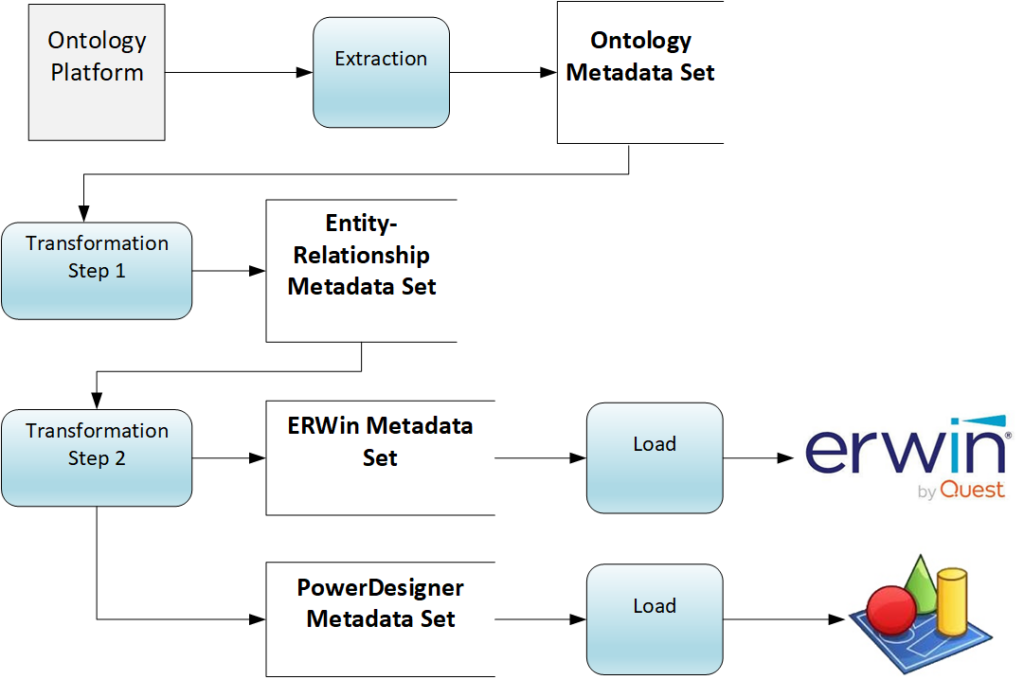
The Entity-Relationship MDS is the same input for all target software. We modify Transformation Step 2 to generate an additional MDS for ERWin.
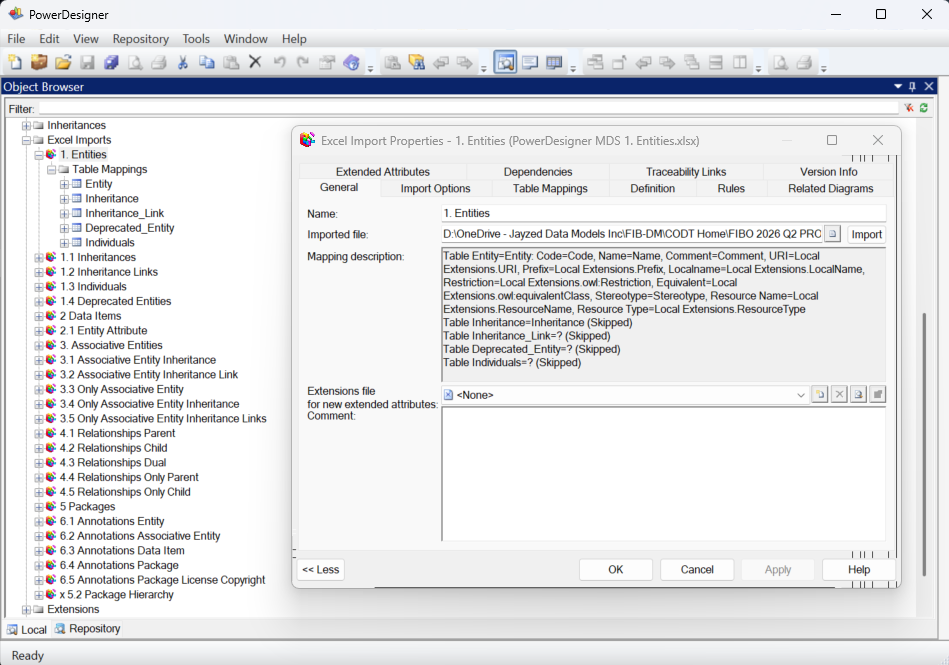
The Data Modeling Tool prescribes the format and content of MS Excel workbooks and sheets to import as a data model. As described in the education resources and video on this website and in the patent itself, the PowerDesigner import is very flexible and configurable.
The Data Architect decides how to break up her metadata into workbooks and spreadsheets, and then uses the PowerDesigner wizard to define column-to-data model object properties.
The screenshot shows how we broke the process into 23 imports: entities to inheritances, attributes, relationships, packages, and the ontology annotations (the FIBO documentation).
After each import, we run model validation checks to ensure structural integrity before proceeding to the next import.
Over the past five years, we only had to recall one FIB-DM release, and that was due to malformatted copyright notices – no model defect.
ERWin Data Modeler uses the Meta Integration Repository (MIR) bridge, a metamodel based on the OMG Common Warehouse Model standard. It integrates IDEF1X data modeling and OMG UML object modeling.
There are imports for over a hundred databases and modeling tools. Mapping from Source to MIR, and from MIR to ERWin, is fixed and requires no configuration.
This works fine when importing the PowerDesigner FIB-DM into ERWin, but it is a challenge for model metadata in MS Excel.
The MS Excel screenshot shows
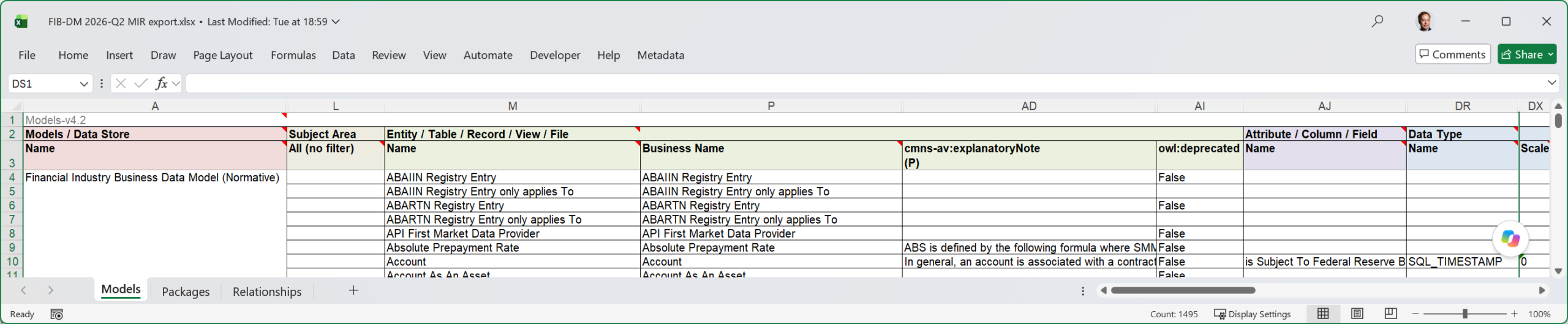
The MIR Excel bridge is the antithesis of data modeling – one big table, 128 columns from model to subject area to entity, to UDPs, to attributes, all in one metadata sheet.